#gadget · 2026-06-03 ● we own it
Anker Prime Charging Stations Review: Do Smart Displays Actually Matter?
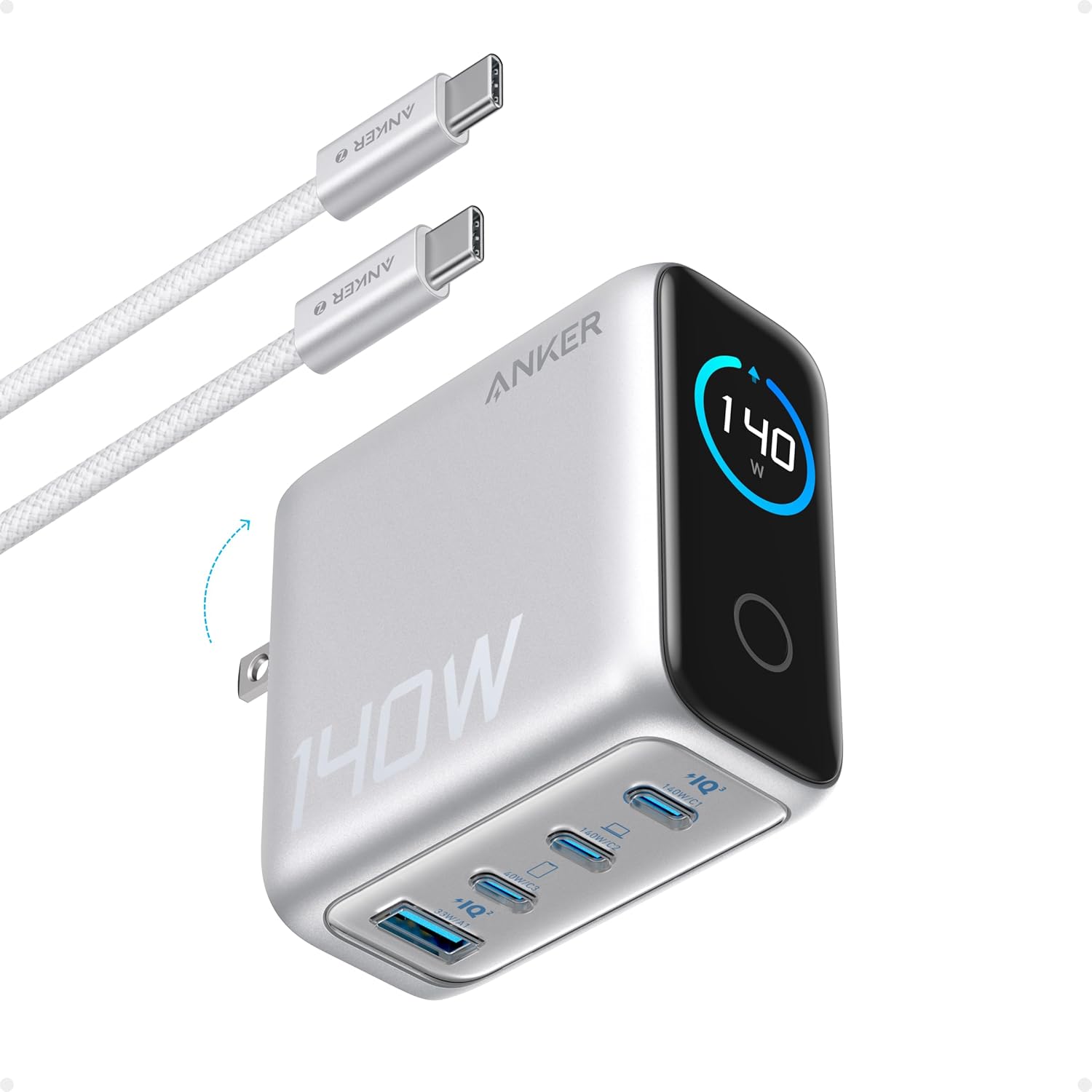
The verdict
Excellent build quality and real power delivery, but the smart display features feel more like showpieces than practical necessities for most users.
$90-$200
What slaps
- +Genuinely accurate power monitoring via LCD display
- +Actually delivers advertised wattage without throttling
- +GaN technology keeps size reasonable despite high output
- +Touch controls are responsive and intuitive
- +Includes quality 5ft cable (140W model)
- +Smart power distribution prevents device damage
What stings
- −Significantly more expensive than equivalent dumb chargers
- −Display brightness cannot be disabled, only dimmed
- −250W model runs noticeably warm under full load
- −Touch controls can be accidentally triggered when plugging cables
- −Display info is interesting for a week, then rarely checked
- −Premium price makes sense only for specific use cases
Spec sheet
| Model 1 | 140W 4-Port with Display |
| Model 2 | 250W 6-Port Charging Station |
| Max Output (140W) | 140W total, 100W single port |
| Max Output (250W) | 250W total, 140W single port |
| USB-C Ports (140W) | 3x USB-C |
| USB-C Ports (250W) | 4x USB-C |
| USB-A Ports | 1x USB-A (both models) |
| Display | 2.26" LCD with touch controls |
| Technology | GaN (Gallium Nitride) |
| Dimensions (140W) | Approx 4.3 x 3.2 x 1.3 inches |
| Dimensions (250W) | Approx 5.9 x 3.7 x 1.6 inches |
| Cable Included | 5ft USB-C (140W only) |
| Price (140W) | $90-100 |
| Price (250W) | $170-200 |
How it stacks up
| Product | Price | Key spec | Verdict |
|---|---|---|---|
| Anker 140W Prime | $90 | 4 ports, LCD display, 140W | Premium features, debatable value |
| Anker 735 (GaNPrime 65W) | $40 | 3 ports, no display, 65W | Better value for most users |
| UGREEN 140W Nexode | $70 | 4 ports, no display, 140W | Same power, $20 less, no screen |
| Anker 250W Prime Station | $180 | 6 ports, LCD display, 250W | Best for power users with money |
| Satechi 165W USB-C | $120 | 4 ports, no display, 165W | Middle ground option |
The Promise: Smart Charging That Shows You Everything
Anker's Prime series represents their attempt to add intelligence to the humble charging brick. Both the 140W 4-port model and the 250W 6-port charging station feature 2.26-inch LCD displays that show real-time wattage, voltage, and current for each port. Touch controls let you adjust display brightness and cycle through power distribution modes. On paper, this sounds like exactly the kind of transparency power users have been asking for. In practice, it's more complicated.
Let's be clear upfront: these are legitimately excellent chargers. The power delivery is accurate, the build quality feels premium, and the GaN technology keeps them surprisingly compact given their output. The question isn't whether they work well, it's whether the smart display features justify a 50-100% price premium over equally capable chargers without screens.
Real-World Performance: The Display Actually Works
I've been rotating between both models for the past month, and the first thing worth noting is that the displays are genuinely accurate. I verified readings against a USB power meter, and the onboard measurements matched within 1-2%. When you plug in a MacBook Pro and see 96W displayed, it's actually pulling 96W. This matters because plenty of chargers claim high wattage but throttle under load.
The 140W model handled my typical desk setup without issue: MacBook Pro (85-100W), iPad Pro (20-30W), iPhone (15-20W), and wireless earbuds (5W). The smart power distribution kicked in properly, with the MacBook getting priority on the 100W-capable C1 port and other devices splitting the remaining capacity. Total draw peaked around 135W, leaving just enough headroom.
The 250W station is overkill for most people but genuinely useful if you're charging multiple laptops simultaneously. I tested it with two MacBooks, an iPad, two phones, and a power bank. All six ports active, pulling around 215W total. The charger ran warm but not concerning, and power distribution remained stable. The display showed port-by-port breakdown, which was interesting to watch for about ten minutes before I stopped caring.
The Display Problem: Interesting vs. Useful
Here's the uncomfortable truth: the display is a solution looking for a problem. Yes, it's cool to see exactly how much power each device is drawing. Yes, it's satisfying to watch the wattage climb as your MacBook starts fast charging. But after the novelty wears off, you realize you're rarely actually looking at it.
The display shows which ports are active, current draw per port, total wattage, and temperature warnings if things get too hot. You can touch the screen to cycle brightness levels (high, medium, low, but never fully off) and switch between summary and detailed views. The interface is responsive and well-designed. It's just solving a problem most people don't have.
When does the display actually matter? Troubleshooting. If a device isn't charging properly, seeing that a port is only delivering 5W instead of 20W immediately tells you something's wrong. Beyond that, it's eye candy. Expensive eye candy.
Build Quality and Design: Premium Feel, Premium Price
Both models feel substantial in hand. The matte black finish resists fingerprints, the ports are tight with no wobble, and the included cable (on the 140W model) is genuinely good quality with proper strain relief. These don't feel like they'll fall apart after six months of desk use.
The 140W model is compact enough for travel if you need serious power on the go. It's larger than a standard 65W charger but not absurdly so. The 250W station is clearly meant to stay on a desk. It's roughly the size of a thick paperback book and has enough heft that cables won't drag it around.
One design complaint: the touch-sensitive display means you'll occasionally trigger controls when plugging in cables. Not a dealbreaker, but slightly annoying when the brightness randomly changes because your finger grazed the screen.
| Feature | 140W Model | 250W Model |
|---|---|---|
| Max Single Port | 100W | 140W |
| USB-C Ports | 3 | 4 |
| USB-A Ports | 1 | 1 (plus 1 additional USB-C) |
| Travel Friendly | Yes | Desk only |
| Cable Included | 5ft USB-C | No |
The Competition: What Else Should You Consider?
This is where things get uncomfortable for Anker's pricing. The UGREEN Nexode 140W offers identical power output, the same number of ports, and similar GaN efficiency for around $70. You lose the display, but you save $20-30. Unless you specifically want that screen, the UGREEN is better value.
Anker's own 735 GaNPrime 65W charger costs $40 and handles most people's daily charging needs perfectly well. Three ports (two USB-C, one USB-A), enough power for a laptop and accessories, and half the price. The 140W Prime makes sense only if you genuinely need to charge multiple high-power devices simultaneously and want to see exactly what's happening.
For the 250W station, competition is thinner at this power level. Satechi's 165W dock offers similar port count for $120 but lacks the extra capacity. If you actually need 250W of charging power, Anker's station is one of the few options available. But most people don't need 250W. That's enough to fast charge three MacBook Pros simultaneously. How often are you doing that?
Who Actually Needs This?
The 140W model makes sense for tech reviewers, IT professionals managing multiple devices, or anyone who genuinely needs to charge multiple laptops daily and wants to verify proper power delivery. It's overkill for typical users who charge a phone, tablet, and maybe a laptop.
The 250W station is for power users with specific workflows: video editors running multiple devices, home office setups replacing multiple chargers, or shared family charging stations. At $180-200, it needs to solve a real problem to justify the cost. If you're replacing 3-4 separate chargers and genuinely use all six ports regularly, the cost starts making sense. If you're using two ports most of the time, buy something cheaper.
The Bottom Line: Premium Product, Niche Appeal
These are excellent chargers that deliver exactly what they promise. The displays work accurately, the power delivery is reliable, and the build quality justifies the premium pricing. The problem is that most of what makes them premium is also what makes them unnecessary for typical users.
If you're the kind of person who checks power draw on your devices regularly, troubleshoots charging issues, or simply appreciates having complete visibility into your power delivery, the display features will feel worth it. If you just want your devices to charge reliably without thinking about it, you're paying for features you'll rarely use.
Anker's build quality and power delivery accuracy make these easy to recommend over cheaper no-name alternatives. But within Anker's own lineup, or compared to quality competitors like UGREEN, the display premium is hard to justify unless you specifically want that feature. These are great products for a specific audience. Just make sure you're actually in that audience before spending the extra money.
Get it if
Power users managing multiple high-wattage devices who value real-time power monitoring, IT professionals needing verified charging performance, tech enthusiasts who appreciate detailed system visibility, or anyone replacing 3+ separate chargers with a single station.
Skip it if
You typically charge 1-2 devices at a time, you don't care about seeing real-time wattage numbers, you're budget-conscious and can find equivalent power delivery without the display for significantly less, or you need something truly portable for daily travel.
$90-$200
Affiliate links support the site at no cost to you.