the wire · #gadgets · 2026-10-24
What is Theater Mode on your Apple Watch and when should you use it?
Cech Tech Reviews
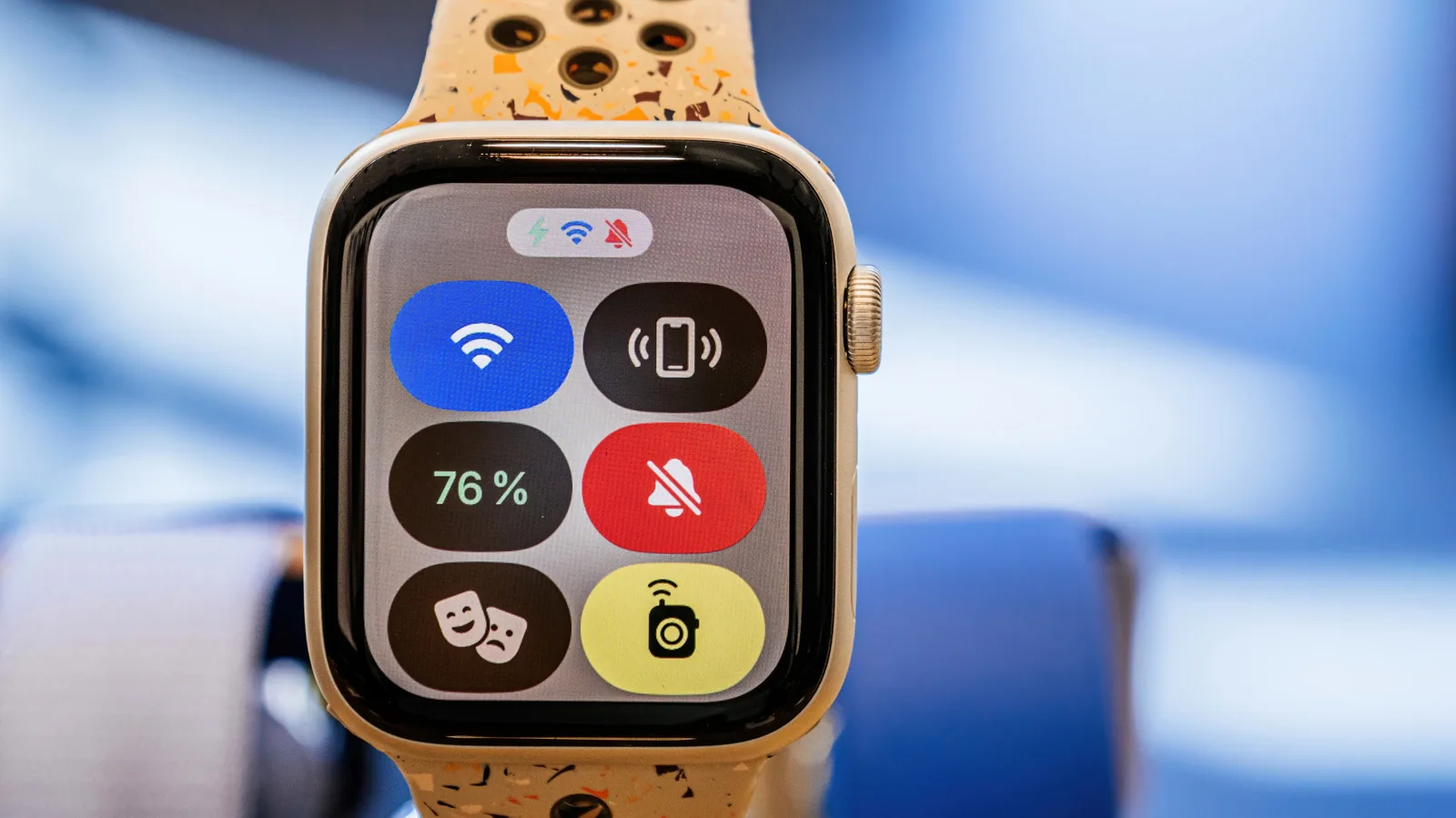
Apple has built a surprising amount of nuance into its wearable operating system. Most users rely on the standard silent mode or Do Not Disturb to manage interruptions. However, there is a third option that rarely gets the attention it deserves. Theater Mode is a specific setting designed for environments where even the slightest interaction could be disruptive.
According to reports on the feature, Theater Mode does not go as far as Do Not Disturb in terms of blocking all alerts. Instead, it focuses on physical interaction. The core function is to disable the Digital Crown and the side button. This prevents accidental wake-ups when the watch is in a bag or against your body.
This distinction matters for professionals who need to maintain absolute silence. When you are in a meeting or a theater, you do not want the screen lighting up if your arm moves. Standard silent mode still allows the screen to activate with a wrist raise. Theater Mode locks that behavior down completely until you manually exit the mode.
The utility of this feature extends beyond just movies. It is ideal for deep work sessions where you want to prevent the temptation to check notifications. By removing the ability to glance at the screen without explicit permission, it creates a friction point. This friction helps you stay focused on the task at hand rather than reacting to every ping.
From a broader AI and productivity perspective, this highlights a growing trend in hardware design. Manufacturers are increasingly offering granular controls for attention management. These tools are not just about blocking noise. They are about curating your environment to support specific cognitive states. Theater Mode is a physical manifestation of digital minimalism.
For entrepreneurs and developers, this level of control can be the difference between flow and fragmentation. It allows you to signal to colleagues that you are unavailable without turning off your phone. It is a subtle but effective boundary setting tool. You remain connected for emergencies if needed, but you are not easily distracted by trivial updates.
What this means for you: If you find yourself constantly checking your watch during work hours, try enabling Theater Mode for your next two-hour deep work block. It forces you to be intentional about checking the time or notifications. To automate this, you can set up a shortcut in your productivity app that triggers Theater Mode when you enter a specific location or start a calendar event labeled "Focus."
Here is a prompt you can use with an AI assistant to create a custom workflow for this: "Create a step-by-step guide for setting up an automation that enables Theater Mode on my Apple Watch when I start a calendar event titled 'Deep Work' and disables it when the event ends. Include the necessary Shortcuts actions and any required permissions."
This small tweak can have a significant impact on your daily productivity. It is a reminder that sometimes the best way to manage technology is to restrict it. By limiting your access, you gain more control over your attention. It is a simple feature with profound implications for how we interact with our devices.
Reporting basis: original story
← back to The Wire