#other · 2025-07-14 ● we own it
Dell UltraSharp U2720Q 27-inch 4K USB-C Monitor: A Budget-Friendly Choice for Color-Critical Work
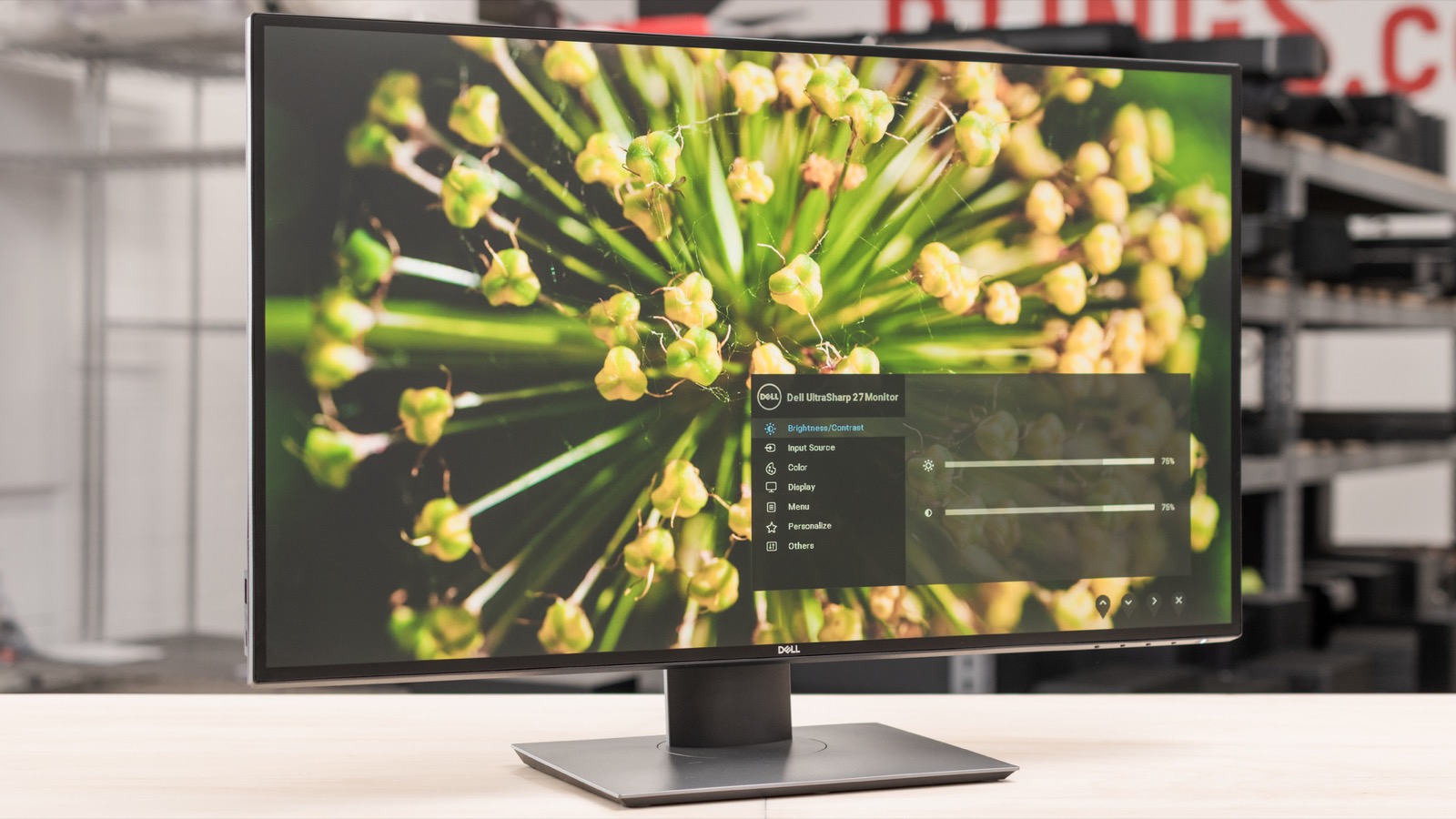
The verdict
Excellent for creators needing accurate colors on a budget, but gamers should look elsewhere.
$539.99
What slaps
- +Factory-calibrated Delta E <2 for excellent sRGB accuracy
- +USB-C with 90W Power Delivery simplifies desk setup
- +Thin bezels and height-adjustable stand
- +Good connectivity with HDMI, DisplayPort, and USB hub
What stings
- −Only 60Hz refresh rate, not suitable for gaming
- −No HDMI 2.1 or higher bandwidth ports
- −Built-in speakers are weak and tinny
- −Model is older compared to newer Dell UltraSharp options
🚩 Before you buy
- !Only 60Hz, no adaptive sync - not for gaming
- !Older model; may lack some warranty or software support compared to newer counterparts
- !Built-in speakers are barely usable for anything beyond system sounds
Spec sheet
| Screen Size | 27 inches |
| Resolution | 3840 x 2160 (4K UHD) |
| Panel Type | IPS (In-Plane Switching) |
| Refresh Rate | 60Hz |
| Brightness | 350 cd/m² (typical) |
| Contrast Ratio | 1300:1 (typical) |
| Color Gamut | 99% sRGB, 99% BT.709, Delta E <2 |
| Ports | 1x USB-C (90W PD), 1x HDMI 2.0, 1x DisplayPort 1.4, 4x USB-A 3.0 downstream, 1x USB-C upstream |
| Weight | 10.3 lbs (4.67 kg) without stand |
| Stand Adjustments | Height, tilt, swivel, pivot |
How it stacks up
| Product | Price | Key spec | Verdict |
|---|---|---|---|
| Dell UltraSharp U2720Q | $539.99 | 4K IPS, USB-C 90W, factory calibrated | Best value for color work |
| LG 27UK850-W | $499.99 | 4K IPS, USB-C 60W, sRGB 98% | Similar but lower power delivery and less calibration |
| Dell UltraSharp U2723QE | $719.99 | 4K IPS Black, USB-C 90W, factory calibrated, built-in KVM | Newer with better contrast and KVM, but pricier |
Introduction
The Dell UltraSharp U2720Q has been a staple in the professional monitor market since its launch, and even in 2026, it remains a compelling option for creators on a budget. This 27-inch 4K IPS monitor delivers vibrant colors straight out of the box, thanks to factory calibration, and its USB-C port with 90W power delivery simplifies cable management. While it doesn't chase high refresh rates or trendy gaming features, the U2720Q focuses on what matters for design, photography, and office work: accuracy, ergonomics, and connectivity. Let's see if this older model still holds up against newer alternatives.
Design and Build Quality
Dell's UltraSharp line has always emphasized understated elegance, and the U2720Q is no exception. The monitor features ultra-thin bezels on three sides, which makes it almost bezel-less when turned on and perfect for multi-monitor setups. The stand is robust and offers a full range of ergonomic adjustments: height, tilt, swivel, and pivot to portrait mode. The base is solid and doesn't wobble. The rear panel uses a matte texture that resists fingerprints, and the ports are angled for easy access. Overall, build quality is excellent, though the plastic chassis feels typical for this price range.
Display Performance
The star of the show is the 27-inch IPS panel with 4K resolution (3840x2160). Dell claims 99% sRGB and BT.709 coverage with a factory-calibrated Delta E of less than 2. In testing, this holds up well: colors appear natural and consistent out of the box, without the oversaturation you often see on consumer monitors. White balance is neutral, and viewing angles are wide as expected from IPS. The brightness of 350 nits is adequate for indoor use, though not bright enough for HDR content to pop. Contrast is typical IPS at 1300:1, so blacks are more dark gray than true black. For tasks like photo editing, print prep, and code, this display is more than capable. However, the 60Hz refresh rate is a clear limiting factor for anyone wanting smooth motion, and there's no adaptive sync.
Connectivity and USB Hub
This is a strong suit. The USB-C port supports DisplayPort Alt Mode and delivers up to 90W of power to a connected laptop, perfect for a MacBook or ultrabook. You also get an HDMI 2.0 port, a DisplayPort 1.4, four USB-A 3.0 downstream ports, and a separate USB-C upstream for connecting to a computer's USB when not using the main USB-C. The USB hub is convenient for peripherals, but note that the USB-C upstream port only supplies data, not video. If you need a built-in KVM, consider the newer U2723QE. The ports are easily accessible on the back, though front-facing ports would have been more convenient.
Comparison with Alternatives
| Product | Price | Key Specs | Verdict |
|---|---|---|---|
| Dell UltraSharp U2720Q | $539.99 | 4K IPS, USB-C 90W, factory calibrated | Best value for color work |
| LG 27UK850-W | $499.99 | 4K IPS, USB-C 60W, sRGB 98% | Similar but lower power delivery, less accurate calibration |
| Dell UltraSharp U2723QE | $719.99 | 4K IPS Black, USB-C 90W, built-in KVM, factory calibrated | Newer with better contrast and KVM, but pricier |
The LG 27UK850-W is a nearly identical monitor on paper, but it comes from factory with less strict calibration and only 60W USB-C power delivery. It can often be found for less, making it an alternative if you don't need the full 90W. The Dell U2723QE is the natural evolution: it uses an IPS Black panel that nearly doubles contrast (2000:1), includes a built-in KVM switch, and offers a wider color gamut (DCI-P3). However, it costs significantly more. For most professional use, the U2720Q remains a smart buy if you can find it at a discount.
Who Is This For?
The Dell UltraSharp U2720Q is ideal for photographers, graphic designers, video editors (who don't need HDR or high frame rates), and office workers who spend long hours in front of a screen. The ergonomic stand, accurate colors, and USB-C convenience make it a fantastic productivity tool. It's also a good choice for a home office where one monitor serves both work and light creative tasks.
Who Should Skip It?
If you are a gamer or need high refresh rates for any reason, look elsewhere. The U2720Q is strictly 60Hz and has no adaptive sync. Also, if you work in HDR video or require wide color gamuts like DCI-P3 or Adobe RGB, this monitor covers only sRGB. For that, you may want to invest in the U2723QE or a dedicated professinal panel. Additionally, if you need multiple modern inputs like HDMI 2.1 or USB-C with higher bandwidth, the U2720Q's ports are limited to HDMI 2.0 and DisplayPort 1.4.
Final Verdict
The Dell UltraSharp U2720Q is a refined, no-frills 4K monitor that delivers on its core promise: accurate color, seamless USB-C connectivity, and a comfortable ergonomic experience. In 2026, it is no longer the cutting edge, but its strong build quality and consistent performance mean it still deserves a place on many desks. If you can find it at a price under $550, it's an easy recommendation for anyone who prioritizes color fidelity over flashy features. For a bit more, the U2723QE offers future-proofing, but the U2720Q remains a solid, honest performer.
Get it if
Creative professionals, remote workers, and anyone needing a color-accurate 4K monitor with USB-C convenience on a budget
Skip it if
You need high refresh rates, HDR performance, or a built-in KVM switch
$539.99
Affiliate links support the site at no cost to you.