#gadget · 2026-10-03
Samsung Galaxy SmartTag3: The First Galaxy Tracker That Actually Works With iPhones
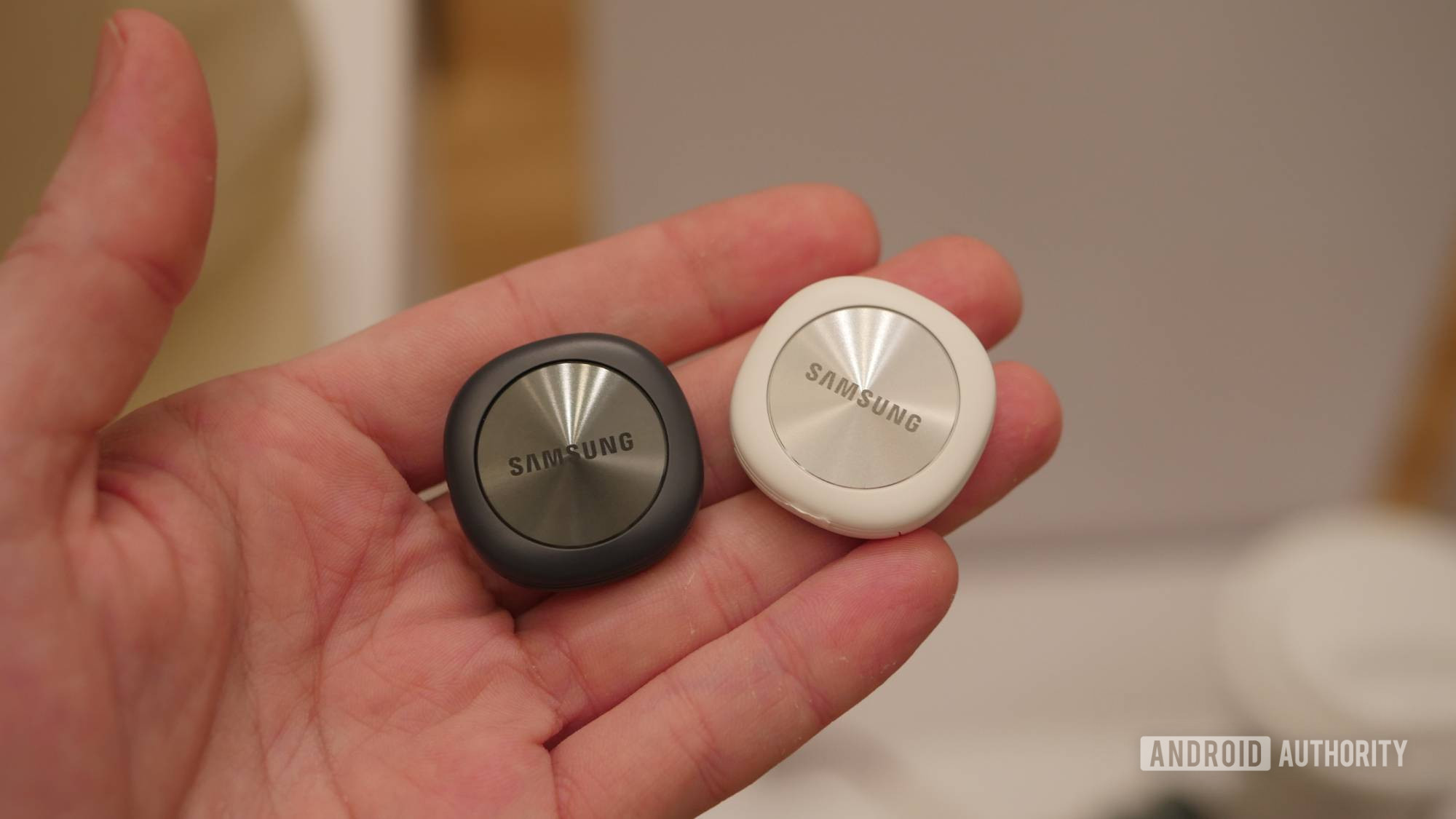
The verdict
A solid tracker for Galaxy users, and the first Samsung option for mixed-OS households, but iPhone users should still buy AirTags.
$29.99
What slaps
- +Finally works with iPhones through SmartThings app
- +35% smaller and 33% lighter than SmartTag2
- +550-day battery life (790 days in battery saver mode)
- +200-foot directional finding with Bluetooth 6.0 Channel Sounding
What stings
- −iOS users lose Compass View, Ring Phone, and Left Behind Alerts
- −Galaxy Find Network (900M devices) still smaller than Apple's Find My (2B+ devices)
- −No loop attachment point like previous SmartTags
- −Premium features require Galaxy device for full experience
🚩 Before you buy
- !iPhone support is feature-limited (no Compass View, Ring Phone, or Left Behind Alerts)
- !Galaxy Find Network is still half the size of Apple's Find My network
- !Requires separate case/holder purchase since loop was removed
Spec sheet
| Dimensions | 35% smaller than SmartTag2 |
| Weight | 33% lighter than SmartTag2 |
| Battery Life | 550 days (790 days battery saver) |
| Range | ~200 feet directional finding |
| Connectivity | Bluetooth 6.0 with Channel Sounding |
| Network | Galaxy Find Network (900M+ devices) |
| Compatibility | Android (SmartThings) + iOS (limited) |
| Water Resistance | IP67 |
| Price | $29.99 |
How it stacks up
| Product | Price | Key spec | Verdict |
|---|---|---|---|
| Samsung SmartTag3 | $29.99 | 200ft range, 550-day battery, limited iOS support | Best for Galaxy users in mixed households |
| Apple AirTag | $29 | Precision Finding, 2B+ device network, iOS-only | Best for iPhone users |
| Tile Pro | $34.99 | 400ft range, replaceable battery, full cross-platform | Best true cross-platform option |
The Cross-Platform Gamble
Samsung spent two generations building Android-only trackers while Apple quietly dominated with the AirTag. The SmartTag3 is Samsung's first real attempt to break out of that walled garden, and it does so with a feature that sounds revolutionary on paper: iPhone support. But before you rush to replace your AirTags, understand what "iPhone support" actually means here.
iPhone users can download the SmartThings app and use core finding features, share tracker access with others, and get basic location updates. That's genuinely useful for mixed Android/iPhone households or if you're planning a platform switch. But Samsung stripped out Compass View (the directional finding UI), Ring Phone functionality, and Left Behind Alerts for iOS users. In other words, iPhone owners get a functional but distinctly second-class experience.
The real question: is a feature-limited tracker on iPhone better than no tracker at all? For most iPhone users, the answer is no. Buy an AirTag. But if you're a Galaxy user whose spouse has an iPhone, or you want one tracker that survives a platform switch, the SmartTag3 suddenly makes sense.
Shrinking Down, Stepping Up
Samsung made the SmartTag3 35% smaller and 33% lighter by ditching the attachment loop that defined the SmartTag and SmartTag2. That's a bold design choice. The loop was convenient, but it also made the tracker bulkier than competitors. Now you'll need to buy a separate case or holder, which adds cost but gives you more attachment flexibility.
The size reduction matters more than it sounds. The SmartTag2 was noticeably chunkier than an AirTag, making it awkward to slip into a wallet or attach to keys without adding bulk. The SmartTag3 finally feels competitive with Apple's minimalist design, though it still isn't quite as sleek.
| Feature | SmartTag3 | SmartTag2 | AirTag |
|---|---|---|---|
| Size vs predecessor | 35% smaller | Baseline | N/A |
| Battery life (normal) | 550 days | 500 days | ~365 days |
| Directional range | ~200 feet | ~120 feet | ~30 feet |
| Bluetooth version | 6.0 (Channel Sounding) | 5.3 | 5.0 (UWB) |
Bluetooth 6.0 and the Range Advantage
The standout technical upgrade is Bluetooth 6.0 with Channel Sounding, which extends directional finding to roughly 200 feet. That's a massive improvement over the SmartTag2's 120-foot range and dramatically better than the AirTag's 30-foot Precision Finding radius (though Apple uses UWB for tighter accuracy at close range).
Channel Sounding is Samsung's answer to Apple's Ultra Wideband. It uses phase-based ranging to calculate distance and direction without requiring a separate UWB chip. In practice, this means you can start getting directional guidance from much farther away. If you've ever used an AirTag and been frustrated by how close you need to be before Precision Finding activates, the SmartTag3's extended range is a legitimate upgrade.
But there's a catch: you need a Galaxy device to access Compass View, the UI that shows directional arrows. iPhone users get location updates but no directional guidance. That's a huge limitation if you're considering this as an iPhone-first tracker.
Battery Life and the Saver Mode Trade-Off
Samsung rates the SmartTag3 at 550 days of battery life in normal mode, jumping to 790 days in Battery Saver mode. That's a 10% improvement over the SmartTag2's already-impressive 500-day rating, and it blows past the AirTag's roughly one-year lifespan.
The catch with Battery Saver mode is that it disables Compass View and volume/ringtone controls, leaving only basic Bluetooth LE finding. For most users, that's a reasonable trade-off if you're trying to stretch the battery to two years. But if you rely on directional finding to locate items in your home, you'll want to leave Battery Saver off.
The SmartTag3 uses a replaceable CR2032 battery, same as the AirTag. That's consumer-friendly and keeps long-term costs low, unlike some competitors that require proprietary batteries or professional replacement.
The Galaxy Find Network Reality Check
Samsung's Galaxy Find Network now includes over 900 million devices, which sounds impressive until you compare it to Apple's Find My network with over 2 billion devices. That's a meaningful difference in real-world coverage, especially in less populated areas or regions where Samsung's market share is lower.
If you drop your keys in a major city, the Galaxy Find Network will likely pick up the signal from someone's nearby Galaxy phone. But in rural areas or countries where iPhones dominate, your SmartTag3 may sit silent for hours or days. The AirTag's network density is simply unmatched.
That said, 900 million devices is still a massive crowd-sourced network, and for most use cases in urban or suburban areas, you'll get reliable location updates. Just don't expect AirTag-level coverage everywhere.
Place Notifications and Geofencing
Samsung added Place Notifications, which trigger alerts when your tracker enters or leaves a defined geofenced area. This is useful for reminding you to grab your gym bag when you leave home, or alerting you if your kid's backpack leaves school.
It's not a revolutionary feature (Tile has offered geofencing for years), but it's a smart quality-of-life addition. Setup is straightforward in the SmartThings app, and the notifications are reliable as long as the tracker stays within range of the Galaxy Find Network.
Who Should Actually Buy This
The SmartTag3 makes sense for three groups. First, Galaxy users who want a tracker that integrates with Samsung's ecosystem and offers better range and battery life than an AirTag. Second, mixed Android/iPhone households where one tracker can be shared across platforms (with compromises). Third, anyone planning to switch from Android to iPhone who wants their tracker to remain functional after the switch.
For iPhone-first users, this still isn't the right choice. You'll lose too many features and gain nothing over an AirTag except slightly better battery life. And if you want true cross-platform parity, Tile's trackers remain the better option, even if their network is smaller.
The Bottom Line
Samsung's SmartTag3 is the company's most competitive tracker yet. It's smaller, lasts longer, and finally works with iPhones. But "works with iPhones" is doing a lot of heavy lifting in that sentence. The iOS experience is functional but limited, and the Galaxy Find Network, while large, still trails Apple's by a significant margin.
For Galaxy users, this is an easy recommendation at $29.99. You get excellent battery life, extended directional range, and the convenience of the SmartThings ecosystem. For iPhone users, it's a curiosity at best and a compromise at worst. Buy an AirTag unless you have a very specific reason to go Samsung.
Get it if
Galaxy users who want extended range and battery life, or mixed Android/iPhone households willing to accept iOS limitations
Skip it if
You're an iPhone user looking for a primary tracker, or you need full feature parity across both platforms