the wire · #ai · 2026-08-27
Adobe is adding more AI to Photoshop
Cech Tech Reviews
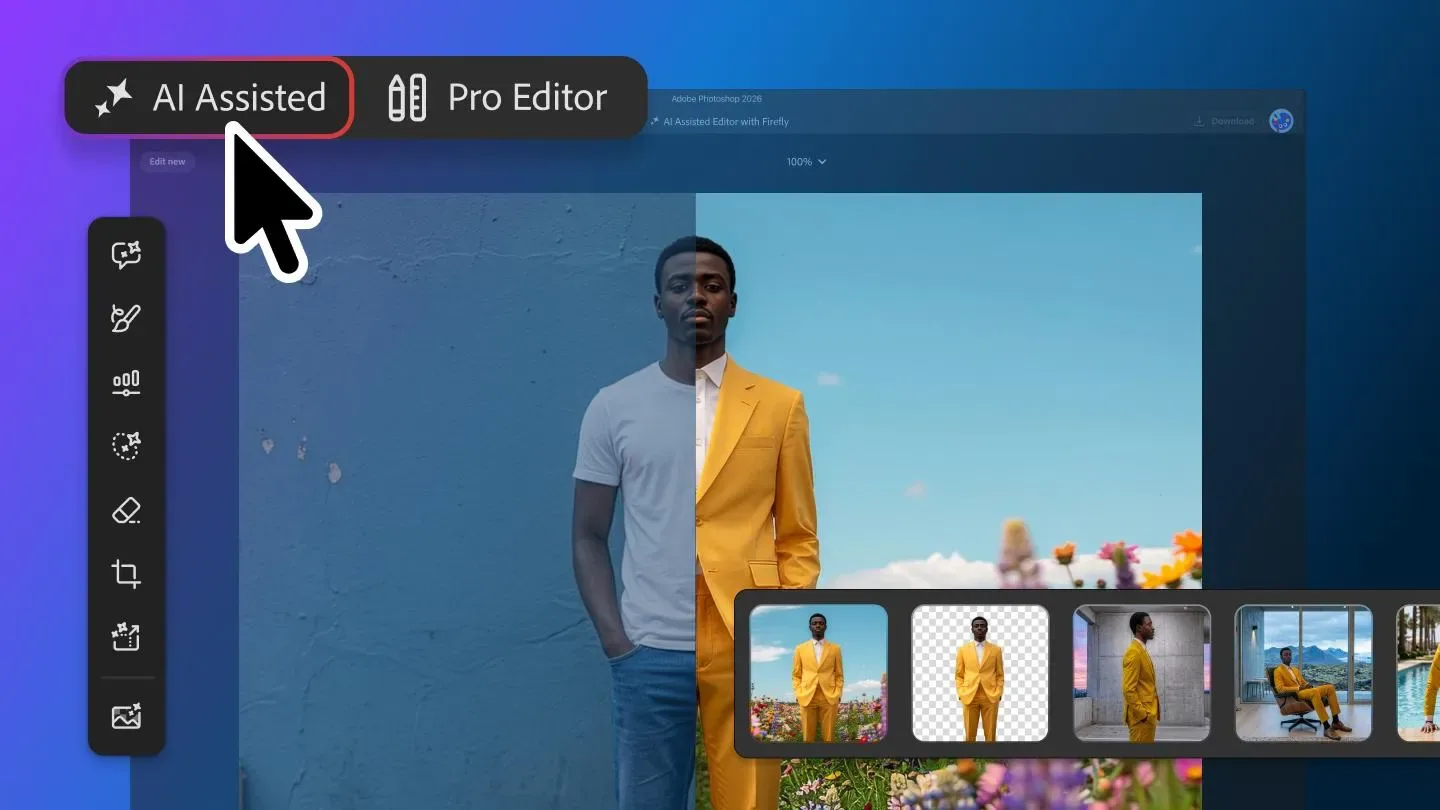
Adobe is making a significant pivot in how users interact with generative AI in Photoshop. According to The Verge, the company is rolling out a beta version of the AI Assisted Editor. This new interface is designed to centralize all of Photoshop's AI capabilities into a single, dedicated toolbar. It is an optional view, meaning you can still use the traditional layout if you prefer.
The update brings together several key tools that were previously scattered across different menus. You will find the prompt-based image editor, background remover, and AI image extender all in one place. This consolidation reduces the friction of hunting for specific features. It creates a more streamlined workflow for creators who rely heavily on generative tools.
What is truly interesting here is the introduction of a visual markup feature. Instead of relying solely on text prompts, you can now draw directly on the image. You can sketch arrows to indicate position or brush in rough shapes to suggest new elements. This changes the paradigm from descriptive prompting to intuitive visual direction.
This approach lowers the barrier to entry for complex edits. You no longer need to craft perfect text prompts to get specific results. A simple scribble or arrow can convey intent more clearly than words. It feels like a natural evolution of how we interact with digital canvases. It bridges the gap between human creativity and machine execution.
From an industry perspective, this signals that text-only prompting is becoming just one option. The future of AI interfaces likely involves multimodal input. Combining text, voice, and visual gestures will become standard. Adobe is positioning itself to lead this shift by making these interactions seamless within a professional tool.
For professionals, this means your workflow might change significantly. You will spend less time typing and more time drawing and refining. The AI becomes a collaborative partner that understands your visual cues. This could speed up iterative design processes considerably. It also reduces the cognitive load of managing complex prompts.
What this means for you: Try using the new markup feature to guide AI edits. Instead of typing a long description, draw a rough circle where you want an object and an arrow showing its direction. See how the AI interprets your visual intent versus your text prompt. This workflow can save time and yield more precise results in your next design project.
Reporting basis: original story
← back to The Wire