the wire · #gadgets · 2026-09-13
Apple nailed iPhone Duo split screen, even as iPad multitasking feels convoluted
Cech Tech Reviews
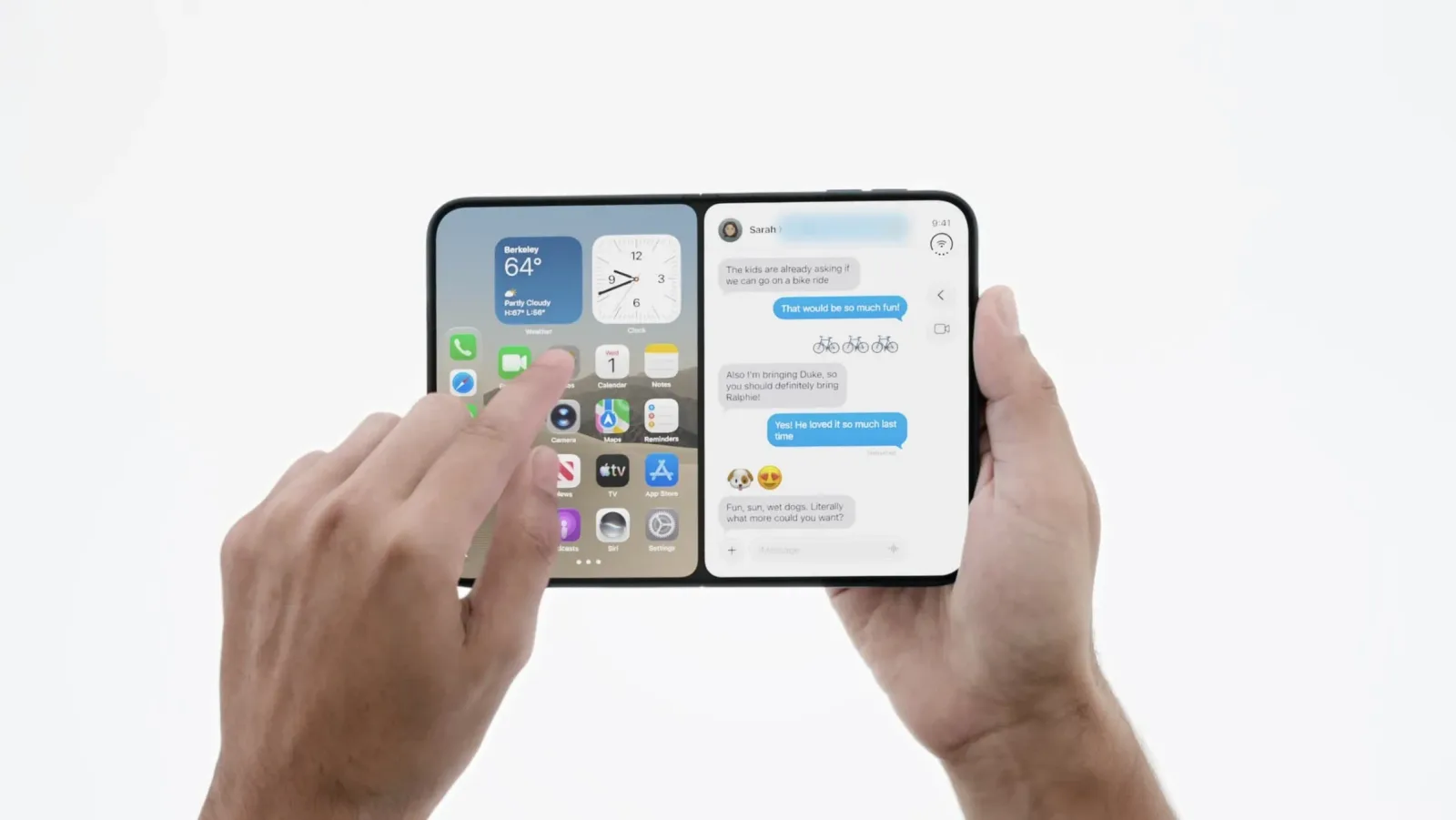
Apple has officially unveiled its latest iPhone lineup, and the headline grabber is undoubtedly the iPhone Duo. This new foldable device features a split-screen interface that feels incredibly natural and responsive. It sets a high bar for how mobile operating systems should handle multitasking on the go.
However, the excitement around the Duo casts a harsh light on the current state of iPad multitasking. While the phone experience is fluid, the tablet interface often feels convoluted and fragmented. Users are left wishing Apple had applied the same level of polish to the iPad as they did to this new phone.
The iPhone Duo’s split-screen implementation allows for true side-by-side app usage without significant lag or visual clutter. This is a significant leap forward for mobile productivity. It suggests that Apple has solved many of the hardware and software synchronization issues that plagued earlier foldable attempts.
In contrast, the iPad still relies on a complex layer of window management tools that can feel unintuitive. The transition between apps and the ability to drag and drop content often feels secondary to the core experience. This creates a friction point for professionals who rely on the iPad for serious work tasks.
From an AI perspective, this hardware shift opens up new possibilities for on-device processing. The iPhone Duo’s form factor allows for more sophisticated context-aware AI assistants that can span across two active windows. Imagine an AI that can summarize a document in one pane while drafting a response in the other without switching contexts.
The disparity between the phone and tablet experiences highlights a strategic misstep. Apple seems to be prioritizing the phone’s versatility over the tablet’s depth. This could alienate power users who view the iPad as their primary computing device rather than a secondary screen.
What this means for you: If you are building AI workflows that require multitasking, the iPhone Duo’s interface offers a new paradigm. Try using an AI assistant to manage two documents simultaneously by leveraging the split-screen view. Prompt your AI to summarize the left pane and draft a response for the right pane to test this new workflow potential.
Reporting basis: original story
← back to The Wire

![This unique retro dock adds a flip-up display, Thunderbolt 5, & 8TB storage to your Mac [Video]](https://aideaflow.com/api/img/news/09ee6cfaa15f316e.webp)