#dev-board · 2026-08-17
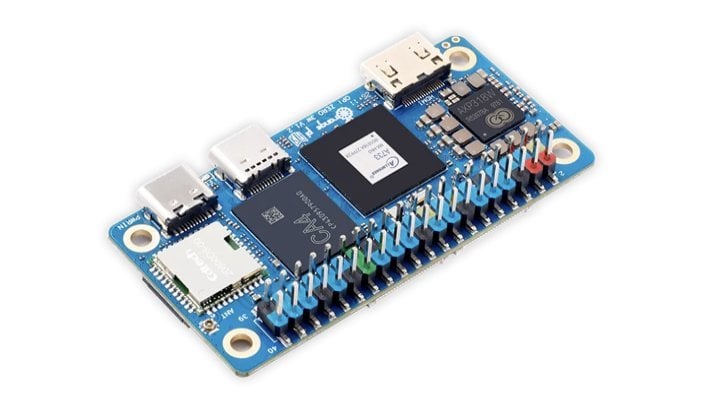
Orange Pi Zero 3W: Octa-Core Performance Meets Wi-Fi 6 for $25
The verdict
Strong hardware at an aggressive price, but software immaturity and limited GPU acceleration hold it back from being a clear winner.
$25
What slaps
- +Octa-core Allwinner A733 with 2x A76 + 6x A55 cores delivers excellent multi-threaded performance
- +Wi-Fi 6 and Bluetooth 5.4 connectivity at this price point is rare
- +Dual video outputs (HDMI + USB-C) and PCIe NVMe support expand use cases
What stings
- −Software ecosystem is significantly less polished than Raspberry Pi alternatives
- −Limited GPU hardware acceleration for video decoding despite 4K capability claims
- −Documentation gaps and immature operating system support require troubleshooting skills
🚩 Before you buy
- !Immature software ecosystem requires significant troubleshooting
- !GPU hardware acceleration claims don't match real-world driver support
- !DDR5 supply chain constraints may affect availability and pricing
Spec sheet
| SoC | Allwinner A733 (2x Cortex-A76 + 6x Cortex-A55) |
| GPU | PowerVR BXM-4-64 MC1 |
| RAM | DDR5 (specific capacity varies by model) |
| Storage | MicroSD + PCIe NVMe support |
| Wireless | Wi-Fi 6, Bluetooth 5.4 |
| Video Out | Mini HDMI, USB Type-C (dual outputs) |
| GPIO | 40-pin header |
| Power | 3.1W idle, 6.6W full load |
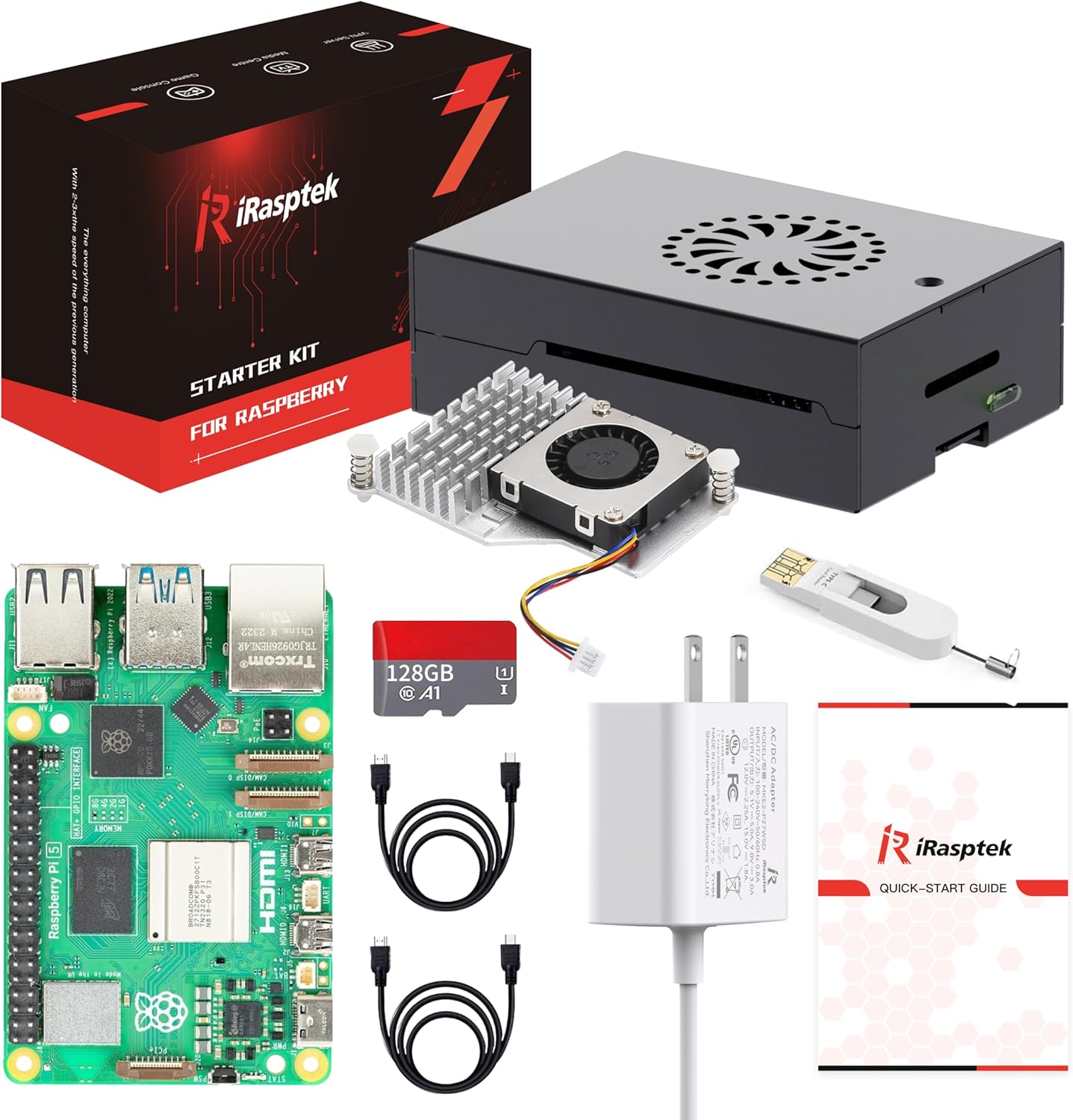
| Cooling | Active heatsink included |
| Price | $25 |
How it stacks up
| Product | Price | Key spec | Verdict |
|---|---|---|---|
| Orange Pi Zero 3W | $25 | Octa-core A733, Wi-Fi 6, dual video | Best raw performance per dollar |
| Raspberry Pi Zero 2W | $15 | Quad-core, single video, mature software | Better software, weaker hardware |
| Radxa Zero 3W | $30 | Quad-core RK3566, better GPU support | More balanced software/hardware |
Hardware That Punches Above Its Weight Class
The Orange Pi Zero 3W immediately stands out with its Allwinner A733 SoC, an octa-core processor that splits duties between two ARM Cortex-A76 cores for demanding tasks and six Cortex-A55 cores for energy-efficient background operations. This heterogeneous architecture is uncommon at the $25 price point, where most competitors settle for quad-core designs. The PowerVR BXM-4-64 MC1 GPU completes the package, theoretically supporting 4K video playback and hardware acceleration, though real-world performance tells a more complicated story.
The board's physical design prioritizes thermal management with an included active cooling system. During testing, the heatsink keeps temperatures stable under load, preventing the thermal throttling that plagues fanless alternatives. Power consumption ranges from 3.1W at idle to 6.6W under full load, making it efficient enough for battery-powered IoT applications while delivering performance that approaches entry-level desktop processors in multi-threaded workloads.
Connectivity Options Expand Use Cases
Wireless capabilities represent one of the Zero 3W's strongest selling points. Wi-Fi 6 support at this price tier is genuinely rare, offering improved throughput and better performance in congested wireless environments compared to the Wi-Fi 5 found on most budget boards. Bluetooth 5.4 adds low-energy peripheral support, useful for sensor networks and smart home projects. The board includes an option for external antenna mounting, addressing the weak signal strength that often hobbles boards with only PCB antennas.
Physical connectivity includes Mini HDMI and USB Type-C video outputs, allowing dual-display configurations without USB adapters. The 40-pin GPIO header maintains compatibility with many existing HAT accessories designed for other ARM boards. A PCIe socket accepts NVMe SSDs through Key-E to PCIe x1 adapters or purpose-built carrier boards, dramatically improving storage performance over microSD cards. This matters for applications like database hosting or media servers where storage I/O becomes the bottleneck.
The Software Reality Check
Here's where enthusiasm meets frustration. The Orange Pi Zero 3W ships with operating systems that feel unfinished compared to Raspberry Pi's polished Raspberry Pi OS. Documentation is sparse, community support is fragmented across multiple forums, and troubleshooting often requires digging through Chinese-language resources or reverse-engineering device trees. The marketing promises 4K video playback, but GPU hardware acceleration for video decoding is largely absent in current OS builds. VLC and similar players fall back to CPU decoding, which works but defeats the purpose of having dedicated video hardware.
Geekbench 6 scores show strong multi-core performance, legitimately outpacing the Raspberry Pi Zero 2W in threaded workloads. Single-core performance from the A76 cores also impresses. However, these synthetic benchmarks don't reflect the day-to-day experience of wrestling with kernel modules that don't load correctly or discovering that a feature advertised on the spec sheet isn't actually implemented in the current OS image. You will spend time in terminal windows and IRC channels if you choose this board.
Practical Applications and Limitations
The Zero 3W excels in scenarios that play to its strengths: IoT gateways that benefit from Wi-Fi 6's improved range and efficiency, lightweight computing tasks that can run headless or with minimal GUI demands, and development projects where you're comfortable building custom Linux environments. The octa-core processor handles parallel workloads like image processing pipelines or multi-container Docker deployments better than quad-core alternatives. NVMe support makes it viable for small-scale file servers or development environments where you're frequently writing to storage.
It struggles in roles requiring plug-and-play simplicity or heavy multimedia work. Desktop usage is possible but choppy, with the immature GPU drivers causing stuttering during window animations and browser rendering. Gaming is essentially off the table. Educational projects suffer from the documentation gaps, making this a poor choice if you're learning embedded Linux rather than already knowing it.
| Feature | Orange Pi Zero 3W | Raspberry Pi Zero 2W | Radxa Zero 3W |
|---|---|---|---|
| CPU Cores | 8 (2+6) | 4 | 4 |
| Wireless | Wi-Fi 6 | Wi-Fi 5 | Wi-Fi 5 |
| Video Outputs | Dual (HDMI + USB-C) | Single (mini HDMI) | Single (micro HDMI) |
| NVMe Support | Yes (PCIe) | No | No |
| Software Maturity | Low | High | Medium |
The Verdict on Value
The Orange Pi Zero 3W occupies an awkward middle ground. Its hardware genuinely impresses, delivering performance that embarrasses boards costing twice as much when the software cooperates. Wi-Fi 6 and dual video outputs add tangible value for specific use cases. The included active cooling prevents the thermal issues that make other compact boards frustrating to use under sustained load. At $25, the raw specifications represent excellent value if you can extract it.
The catch is that immature software ecosystem. You're not buying a finished product, you're buying capable hardware with the assumption that community development will eventually deliver the software experience it deserves. That might happen in six months or might never fully materialize. The PowerVR GPU's limited Linux driver support is a fundamental constraint that software updates alone may not overcome. DDR5 supply chain issues have also affected pricing and availability, though the board remains easier to find than Raspberry Pi alternatives during semiconductor shortages.
Who Should Buy This
This board makes sense for experienced makers and developers who view software challenges as puzzles rather than obstacles. If you're comfortable compiling kernels, contributing to device tree files, or running mostly headless workloads where GPU limitations don't matter, the Zero 3W's performance and connectivity deliver real value. IoT developers building custom gateways or edge computing nodes will appreciate the Wi-Fi 6 support and multi-core performance. System integrators who need NVMe storage in a compact form factor have few alternatives at this price.
Skip it if you want something that works out of the box, if your project requires reliable hardware video acceleration, or if you're still learning embedded Linux fundamentals. The Raspberry Pi Zero 2W costs $10 less and offers dramatically better documentation and community support despite weaker specifications. The Radxa Zero 3W splits the difference with more mature software than Orange Pi but less raw performance. For $30, you get quad-core processing with better GPU driver support and fewer hours lost to troubleshooting.
The Orange Pi Zero 3W is a high-potential board held back by execution. The hardware engineering is solid, the price is aggressive, and the feature set targets genuine gaps in the market. What it needs is time for the software ecosystem to catch up to the hardware's capabilities. If you're willing to invest that time yourself or can work around the current limitations, you'll find a capable platform. If you need reliability today, look elsewhere and revisit this board in a year when the community has had time to mature the software stack.
Get it if
Experienced makers and IoT developers comfortable with Linux kernel work who need multi-core performance, Wi-Fi 6, and NVMe support in a compact form factor.
Skip it if
You need plug-and-play reliability, robust GPU acceleration for media workloads, comprehensive documentation, or are learning embedded development rather than already experienced with it.
$25
Affiliate links support the site at no cost to you.