the wire · #gadgets · 2026-07-04
Security Bite: A note on camera covers in 2026
Cech Tech Reviews
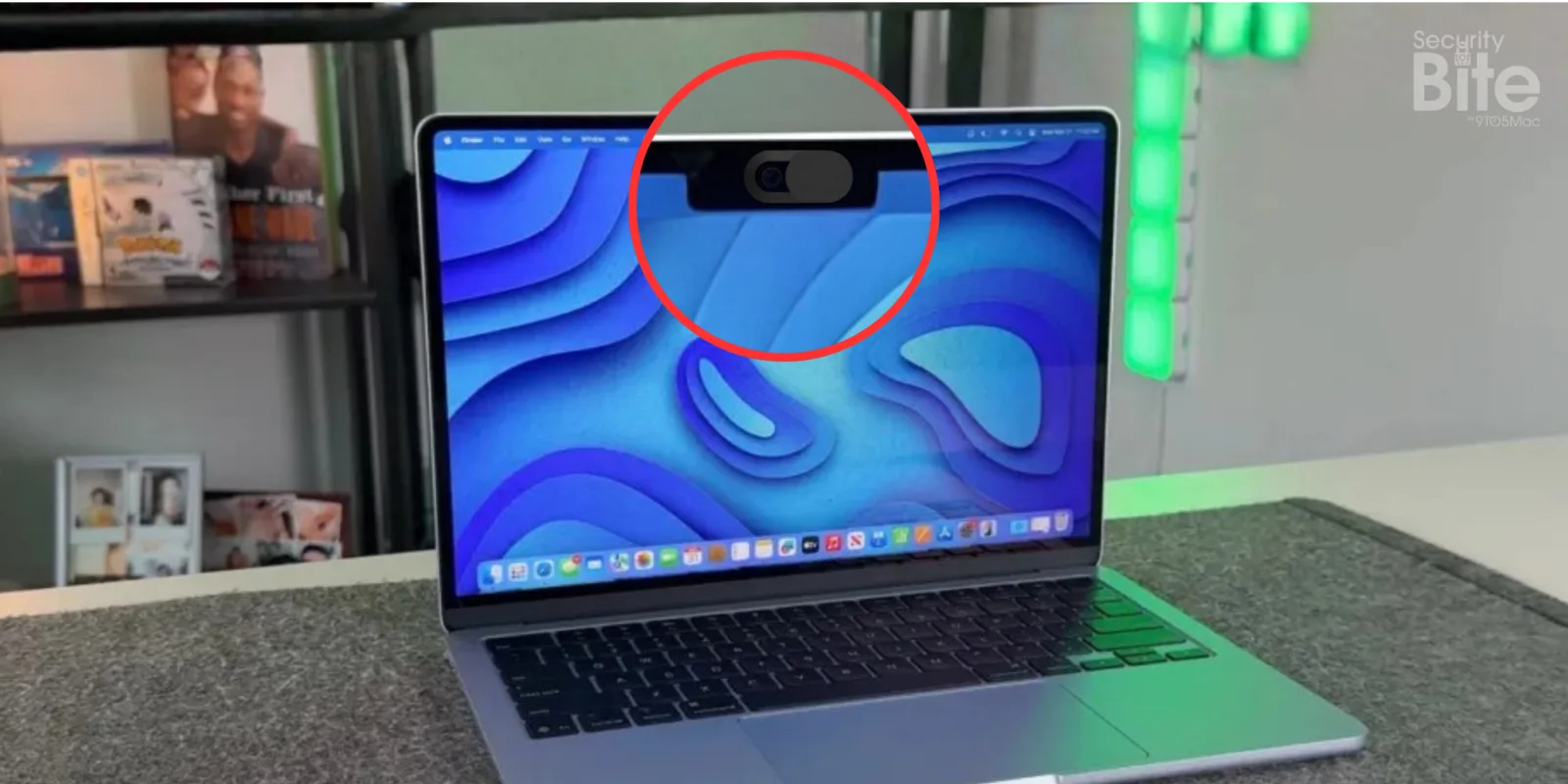
9to5Mac recently ran a Security Bite that pulls back the curtain on the plastic webcam covers that flooded the market in the 2010s. Those tiny sliders were marketed as a low‑tech shield against unauthorized camera access, and many of us slapped them onto our laptops without a second thought.
At the time, the fear of visual eavesdropping felt real, especially after high‑profile hacks that turned webcams into spying tools. A physical barrier seemed like the simplest solution, and the accessories were cheap enough to become a ubiquitous desk‑side accessory.
Apple, however, began to push back around 2020, warning that the covers aren’t actually needed and can even damage a MacBook’s display. The thin glass on newer models is delicate, and the constant friction from a sliding cover can leave scratches or affect the sensor alignment that drives features like True Tone.
Beyond the risk of screen damage, the covers can also throw off camera‑based software functions. Apple’s macOS now requests camera permission at the OS level, logs access, and can even alert you when the lens is active. In that ecosystem, a plastic cover does little to stop a determined attacker who has already compromised the system.
The broader trend is moving toward integrated, software‑first privacy controls. Mosyle, the MDM platform highlighted in the same bite, touts AI‑powered Zero Trust and automated hardening for Apple devices. While the marketing language is bold, the reality is that enterprise‑grade device management can enforce camera usage policies, audit logs, and even disable the lens remotely if needed.
Looking ahead, we’re likely to see hardware shutters become standard, as manufacturers respond to regulatory pressure and consumer demand for built‑in privacy. AI‑driven detection of abnormal camera behavior could also give users real‑time alerts, making the old plastic cover a relic of a pre‑AI era.
What this means for you: If you rely on AI tools that need camera access, think video transcription or visual analytics, focus on software permissions and MDM policies rather than cobbling on a plastic cover. A quick way to audit your fleet is to run a script that lists devices with camera disabled via your MDM, then re‑enable only those that truly need it.
Prompt to try: "List all managed MacBooks in my organization that have the built‑in webcam disabled, then generate a report that groups them by department and includes a recommendation for each whether to re‑enable the camera for AI workflow needs."
Reporting basis: original story
← back to The Wire
![Hands-on: BenQ's new MA270S is a glossy 27-inch 5K display made for Mac [U]](https://aideaflow.com/api/img/news/4e17819e7517a9c1.webp)


![Would a sleeker Apple Watch design justify losing band compatibility? [Poll]](https://aideaflow.com/api/img/news/abbec7447c81592f.webp)