the wire · #gadgets · 2026-07-10
The best CarPlay tips and tricks
Cech Tech Reviews
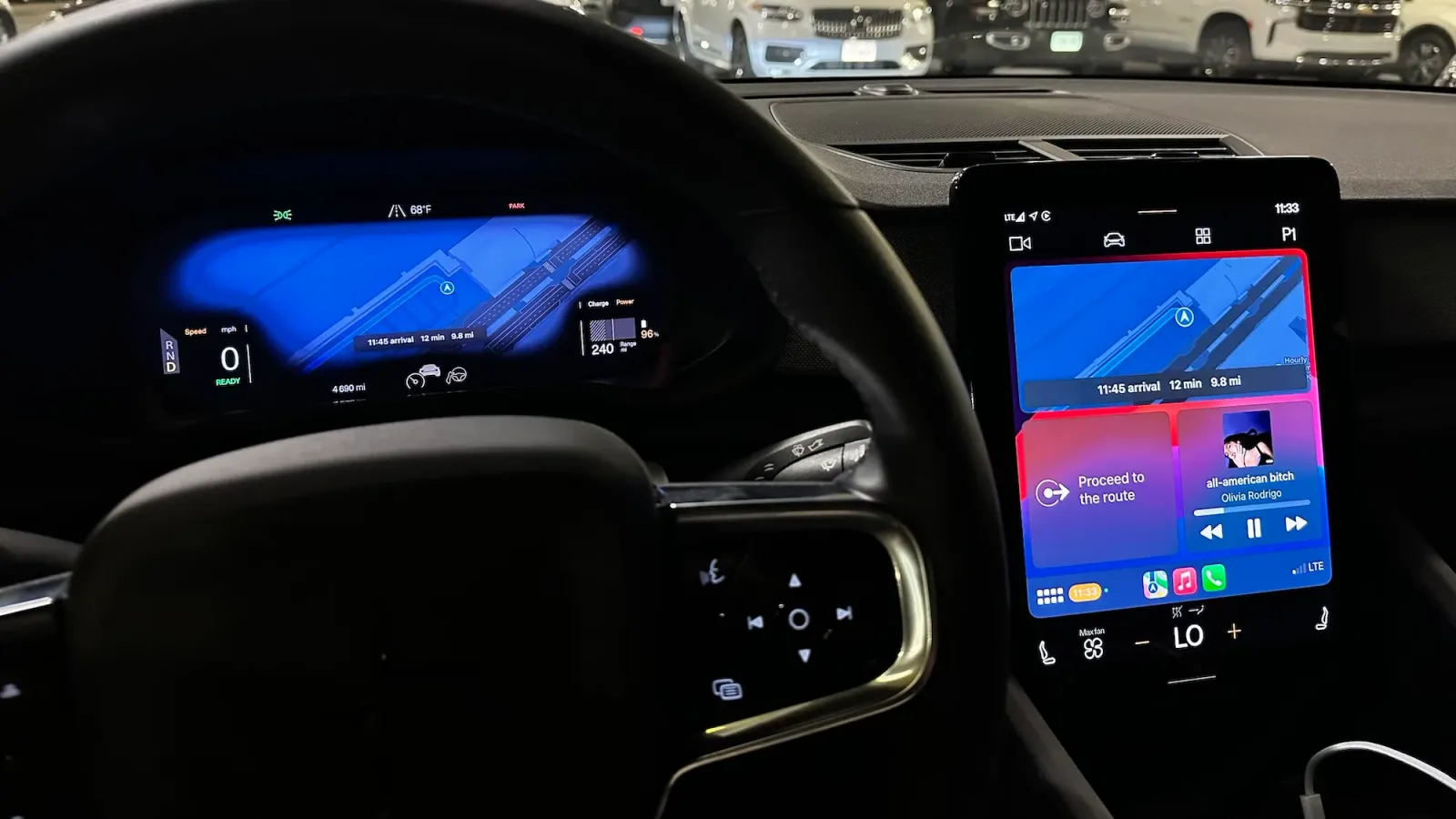
Apple CarPlay has firmly established itself as the definitive standard for in-car digital experiences, largely because it sidesteps the clunky, outdated interfaces that many traditional automakers still struggle to deliver. According to widespread user sentiment and tech reviews, the seamless integration of familiar iOS apps into the dashboard provides a level of convenience that proprietary systems simply cannot match. This dominance is not just about nostalgia for the iPhone interface; it is about safety, familiarity, and the sheer power of Apple’s ecosystem working in harmony with your vehicle.
However, the majority of drivers treat CarPlay as a static mirror of their phone screen, missing out on significant productivity and safety enhancements hidden within the settings. The real value lies in understanding how to leverage Siri and automation to reduce cognitive load while driving. By moving beyond basic navigation and music playback, you can transform your car into a proactive assistant that anticipates your needs rather than just reacting to your taps.
One of the most underutilized features is the ability to customize the home screen layout to prioritize high-frequency apps. You can drag and drop your most used tools to the first page, ensuring that critical functions like navigation or communication are always one glance away. This simple organizational tweak reduces the time you spend looking away from the road, directly contributing to safer driving habits without requiring any new hardware.
Beyond manual organization, the integration with Shortcuts allows for powerful voice-activated workflows. You can create custom Siri commands that perform multiple actions with a single phrase, such as turning on the AC, setting the navigation to home, and playing your news briefing. This level of automation turns your car into a personalized command center, reducing the friction between getting in the vehicle and starting your journey.
Connectivity stability is another area where small tweaks can make a massive difference. If you experience frequent disconnections, checking the Bluetooth pairing status and ensuring that your iPhone’s CarPlay settings are not restricted by data saver modes can resolve many common issues. A stable connection ensures that real-time traffic updates and voice commands are processed without lag, maintaining the seamless experience that makes CarPlay superior to most OEM solutions.
The broader implication here is that the hardware of your car matters less than the software intelligence you bring to it. As vehicles become more connected, the ability to curate your digital environment becomes a key differentiator between a good driving experience and a great one. CarPlay offers a sandbox for this experimentation, allowing users to refine their workflow over time without being locked into a rigid manufacturer interface.
What this means for you is that you should treat your CarPlay setup as a dynamic tool rather than a static feature. Take ten minutes this week to audit your home screen and create one new Shortcut that automates a routine task. Try using the prompt: Create a Siri Shortcut that says 'Good Morning Drive' to set navigation to work, play my commute playlist, and read my calendar events aloud. This small change can significantly reduce your morning stress and keep your focus on the road.
Reporting basis: original story
← back to The Wire


![Emmy Awards 2026: Apple TV just landed a record 89 nominations [Full list]](https://aideaflow.com/api/img/news/e072d16226229529.webp)