the wire · #gadgets · 2026-11-19
Halide camera app just got even better for iPhone Duo
Cech Tech Reviews
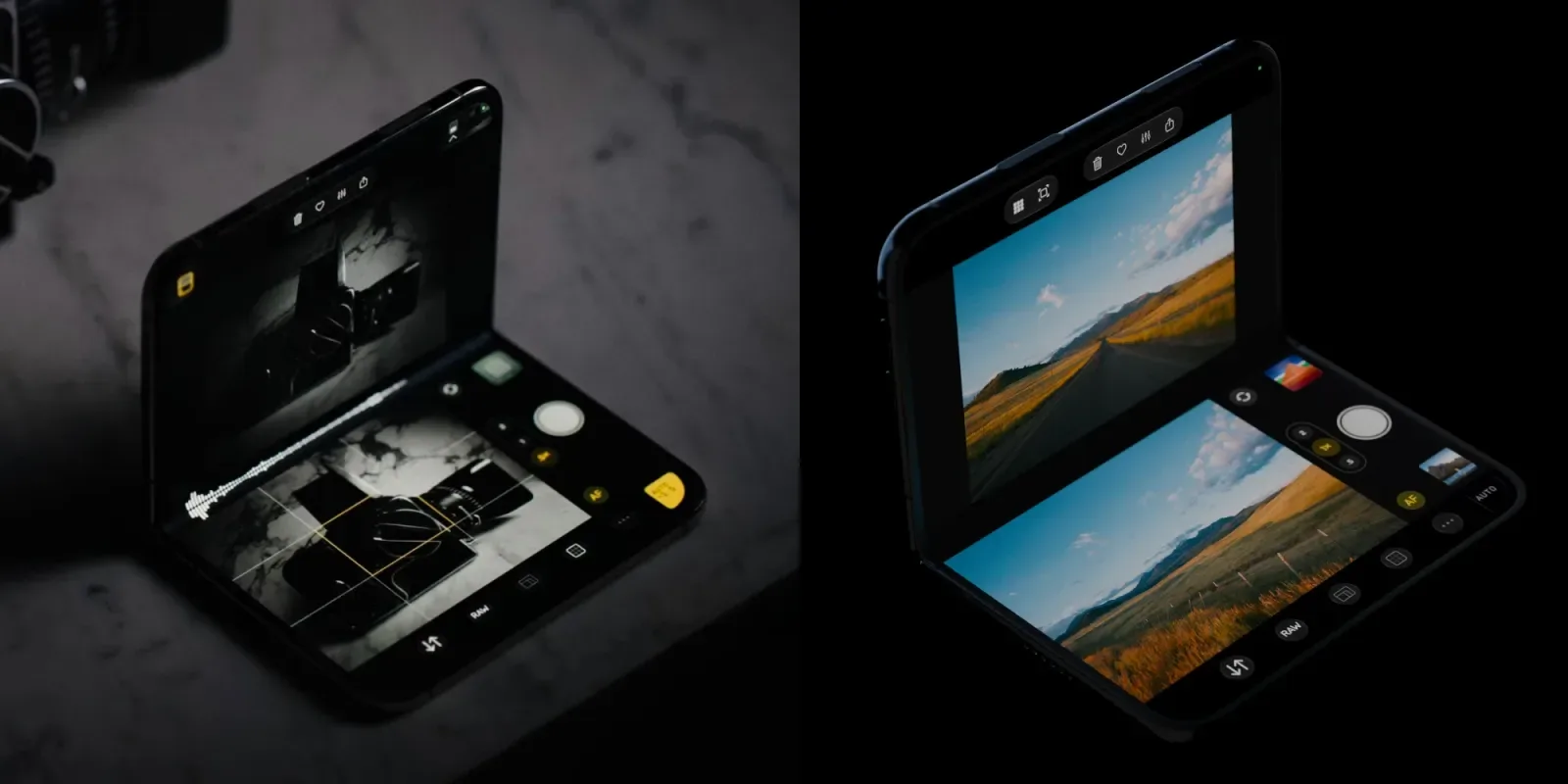
The latest update to Halide, version 3.4, is now live and it is clearly designed with the iPhone Duo in mind. According to the release notes, the most significant change is a larger viewfinder that better utilizes the device's unique dual-screen form factor. This is not just a cosmetic tweak. It fundamentally changes how you compose shots on a device that splits its camera hardware across two displays.
The update introduces a clever feature that lets you use the outer screen as a live preview for the inner camera. This is a game changer for self portraits or group shots where you need to see the frame without contorting your arm. It also allows the outer screen to function as a fill flash. This means you can use the screen brightness to illuminate subjects in low light. It is a software solution to a hardware limitation that feels surprisingly practical.
Halide is also bringing back several camera tools from the previous Mark II version. Long time users will recognize these as essential controls for manual exposure and focus. By reintegrating these features, the developers are ensuring that the transition to the new hardware does not mean a loss of professional control. It is a smart move to retain the power users who rely on granular settings.
This update highlights a broader trend in mobile photography. Apps are no longer just trying to mimic DSLRs. They are adapting to the specific physical constraints and opportunities of new devices. The iPhone Duo is a niche product, but its existence forces software to innovate in new ways. Halide is leading this charge by treating the dual screens as a single cohesive system rather than two separate displays.
For AI enthusiasts, this is interesting because it shows how manual camera controls can feed better data into AI processing pipelines. When you have precise control over exposure and focus, the resulting images provide cleaner input for computational photography features. It is a reminder that manual control and AI enhancement are not mutually exclusive. They can work together to produce superior results.
The integration of the outer screen as a fill flash is particularly noteworthy. It suggests that future apps might use screens for more than just viewing. They could become active lighting tools. This opens up possibilities for video creators and streamers who need portable, screen-based lighting solutions. It is a small feature with potentially large implications for mobile content creation.
What this means for you If you are using an iPhone Duo, this update is essential. It unlocks the full potential of the device's unique hardware. Even if you do not own the Duo, the return of Mark II tools is worth checking out for the manual control it provides. Try using the outer screen as a fill flash for low light portraits. You can also experiment with the larger viewfinder to compose more complex shots. Here is a prompt you can use to analyze your photos after shooting. Ask your AI assistant to evaluate the lighting balance in your images and suggest adjustments for future shoots based on the fill flash technique you just tried.
Reporting basis: original story
← back to The Wire